So much that I could say about this.
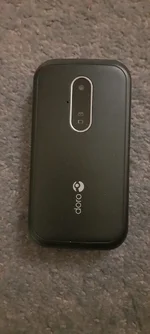
But, to simplify, if relying on mobile phone communications, on whatever network, pay no attention to the particular network's coverage BS optimistic approximations. Go straight to the Ofcom coverage maps, which will show you the reality of what you can expect. Precisely.
View mobile availability - Ofcom Checker It may seem difficult to use, but not really. Start off with your postcode, house number, gets you in. Then scroll down and click on "View map of available services". Now you are in properly in and can scroll and zoom around the entire country in very fine detail, select network, indoor, outdoor, voice, data (3G, 4G or 5G) and see what the current situation is likely to be.
You might be amazed at how poor coverage is, or non-existent, over huge areas of countryside. As many of us already realise.
So, any lone worker service that only uses mobile network coverage, can only work where there is coverage.
Beyond that is the province of satellite communication. The private companies use either Iridium, truly global, or Globalstar, which is not. If choosing something using Globalstar, Spot etc. be very aware of its limitations particularly at higher latitudes.
In future things may change, utterly, particularly some of the things likely coming to Starlink. SpaceX Starlink service could come to iPhone and Android through satellite hotspot
All these devices rely on GPS as well for location information, which can also be fickle. Just as can be their satellite links, though Iridium is undoubtedly the most solid, all subject to needing good sky view, uninterrupted by e.g. tree cover, never mind being in say a ravine or unsuitable topology.
They also do not communicate directly with the search and rescue services, each one uses private, for profit, organisations, who then liaise with the proper coordinators.
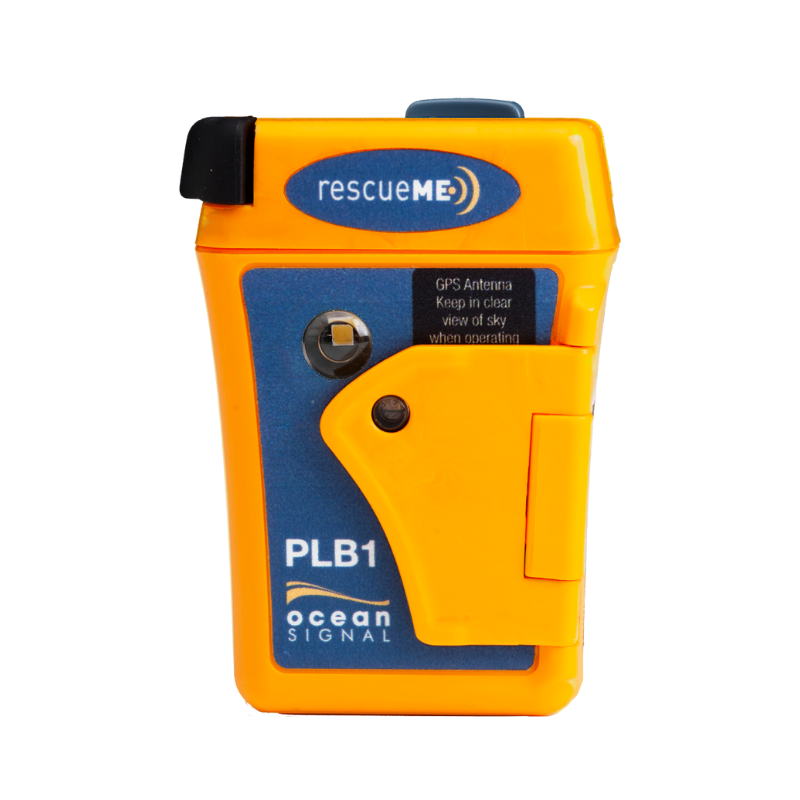
A PLB or EPIRB however uses the Cospas/Sarsat system which is totally different, vastly more resilient, activate one of these and it is absolutely your best chance of directly getting help. As promptly as possible. Globally. But only ever to be used when you absolutely need it. They will keep on reaching out for at least 24 hours to the Sarsats, on 406 MHz (rather than the microwave links used by the messenger devices), even if they can't get a GPS fix they can be located within a few hours, to within a few km, whist also beaming a signal at 121.4 Mhz the international aircraft distress frequency, which can be homed in on by e.g. SAR helicopters.
The other sort of devices have many other uses, all have subscription fees, varying capabilities, many reliant also on connection to a smartphone to use them, a current article worth reading is at The 5 Best Satellite Messengers of 2022
That article title is incorrect, these are not personal locator beacons, they are satellite messengers, which is a completely different thing. Sure they all usually have a way to alert search and rescue coordinators, but that is not their primary function.
For an example of subscription fees for these things, see inReach® Professional Subscription Plans | Garmin
Fundamentally try not to put yourself in a position where you think you can rely on one of these as a "get out of jail free" card. You cannot, even if they work, and SAR can get to you, sooner or later, you must be prudent and self reliant as well.
As for your Garmin, what's that going to do, tell you where you are ? Unless you can then call that in somehow
If you have got mobile coverage, place a call to 999 or better 112, from a smartphone, and the emergency services will automatically get your coordinates either precisely from the gps in your phone, or if no gps coverage, nor say Google's spooky location based on nearby known WiFi points may be able to triangulate your position, though this wont work well if you aren't surrounded by multiple cell towers, as in when you are already in poor coverage.
Advanced Mobile Location - Wikipedia
If you use Android, like me, you can share your location in real time with others who you allow. I do this with my family and friends when getting together, works well. You could do this as a lone worker tracking method, of course it also needs a mobile signal to operate.
https://support.google.com/maps/answer/7326816?hl=en-GB&co=GENIE.Platform=Android
But, to simplify, if relying on mobile phone communications, on whatever network, pay no attention to the particular network's coverage BS optimistic approximations. Go straight to the Ofcom coverage maps, which will show you the reality of what you can expect. Precisely.
View mobile availability - Ofcom Checker It may seem difficult to use, but not really. Start off with your postcode, house number, gets you in. Then scroll down and click on "View map of available services". Now you are in properly in and can scroll and zoom around the entire country in very fine detail, select network, indoor, outdoor, voice, data (3G, 4G or 5G) and see what the current situation is likely to be.
You might be amazed at how poor coverage is, or non-existent, over huge areas of countryside. As many of us already realise.
So, any lone worker service that only uses mobile network coverage, can only work where there is coverage.
Beyond that is the province of satellite communication. The private companies use either Iridium, truly global, or Globalstar, which is not. If choosing something using Globalstar, Spot etc. be very aware of its limitations particularly at higher latitudes.
In future things may change, utterly, particularly some of the things likely coming to Starlink. SpaceX Starlink service could come to iPhone and Android through satellite hotspot
All these devices rely on GPS as well for location information, which can also be fickle. Just as can be their satellite links, though Iridium is undoubtedly the most solid, all subject to needing good sky view, uninterrupted by e.g. tree cover, never mind being in say a ravine or unsuitable topology.
They also do not communicate directly with the search and rescue services, each one uses private, for profit, organisations, who then liaise with the proper coordinators.
A PLB or EPIRB however uses the Cospas/Sarsat system which is totally different, vastly more resilient, activate one of these and it is absolutely your best chance of directly getting help. As promptly as possible. Globally. But only ever to be used when you absolutely need it. They will keep on reaching out for at least 24 hours to the Sarsats, on 406 MHz (rather than the microwave links used by the messenger devices), even if they can't get a GPS fix they can be located within a few hours, to within a few km, whist also beaming a signal at 121.4 Mhz the international aircraft distress frequency, which can be homed in on by e.g. SAR helicopters.
The other sort of devices have many other uses, all have subscription fees, varying capabilities, many reliant also on connection to a smartphone to use them, a current article worth reading is at The 5 Best Satellite Messengers of 2022
That article title is incorrect, these are not personal locator beacons, they are satellite messengers, which is a completely different thing. Sure they all usually have a way to alert search and rescue coordinators, but that is not their primary function.
For an example of subscription fees for these things, see inReach® Professional Subscription Plans | Garmin
Fundamentally try not to put yourself in a position where you think you can rely on one of these as a "get out of jail free" card. You cannot, even if they work, and SAR can get to you, sooner or later, you must be prudent and self reliant as well.
Some, not all, apple watches can detect a "hard fall" then a period of immobility, then place a call to your contact, and emergency services. Assuming that there is a mobile network signal. They do not do this if/when they detect a "heart attack" Glad it worked for your farmer mate.I just use my Iwatch
Tracks me .
If I fall and hurt myself , it will call emergency services , if I’m out cold at the bottom of a ditch it will detect my slip/fall and will contact my misus and emergency services and give them my location .
They have OS maps , weather warnings ,total hands free the list goes on .
An apple Iwatch 7 saved a local to us farmer mate at the start of the year when he had a heart attack while sub-soiling in a field all on his own.
I almost forgot I also carry a Garmin fortrex 701 ballistic edition too . Got to have a plan B .
As for your Garmin, what's that going to do, tell you where you are ? Unless you can then call that in somehow
If you have got mobile coverage, place a call to 999 or better 112, from a smartphone, and the emergency services will automatically get your coordinates either precisely from the gps in your phone, or if no gps coverage, nor say Google's spooky location based on nearby known WiFi points may be able to triangulate your position, though this wont work well if you aren't surrounded by multiple cell towers, as in when you are already in poor coverage.
Advanced Mobile Location - Wikipedia
If you use Android, like me, you can share your location in real time with others who you allow. I do this with my family and friends when getting together, works well. You could do this as a lone worker tracking method, of course it also needs a mobile signal to operate.
https://support.google.com/maps/answer/7326816?hl=en-GB&co=GENIE.Platform=Android


 So am looking at the other satelite devices.