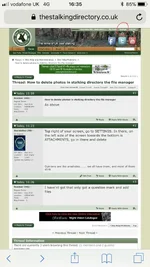
deerstalker.308 Well-Known Member Jan 28, 2018 #2 Top right of your screen, go to SETTINGS. In there, on the left side of the screen towards the bottom is ATTACHMENTS, go in there and delete
Top right of your screen, go to SETTINGS. In there, on the left side of the screen towards the bottom is ATTACHMENTS, go in there and delete
Roedeer 1962 Well-Known Member Jan 28, 2018 #3 I have'nt got that only got a question mark and add files
sh1kar Well-Known Member Supporter Jan 28, 2018 #4 deerstalker.308 said: Top right of your screen, go to SETTINGS. In there, on the left side of the screen towards the bottom is ATTACHMENTS, go in there and delete Click to expand... perfect thanks I have been wondering that too - just cleared them out A delete all option would be good S
deerstalker.308 said: Top right of your screen, go to SETTINGS. In there, on the left side of the screen towards the bottom is ATTACHMENTS, go in there and delete Click to expand... perfect thanks I have been wondering that too - just cleared them out A delete all option would be good S