HIKmicro Alpex 4K scopes and zeroing with the HIK app in detail please

Thanks for the advice.

We can't recheck zero tonight, so I will stick to our present 1"low known zero and advise accordingly. But I will now experiment with the phone app tweak and shoot a couple of shots before I go out on my own next time to convince myself it is doing something in the right direction! My son was complaining about the blurriness of the highest magnification of the scope too, but I explained that normally it is set on a much lower setting while hunting. I will pass on knowledge known to be good.
 
A throw lever makes adjusting the parallax to get a crisp image much easier. With it being digital zoom there will be always be some pixelation at higher mag range. I would set it at 7/8x generally.
 
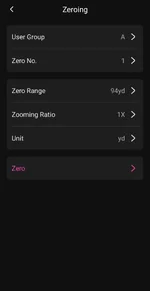
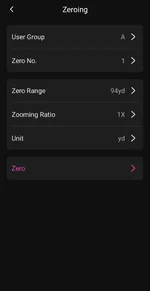
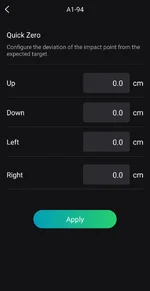
I found it easier to do it this way to get it spot on, do the zeroing with the freezer frame, then fine adjustment with the zero adjustment in the product info
 
Screen shots
 

Attachments

  • Screenshot_20260718_200813_HIKMICRO Sight.webp
    Screenshot_20260718_200813_HIKMICRO Sight.webp
    13.9 KB · Views: 12
  • Screenshot_20260718_200813_HIKMICRO Sight.webp
    Screenshot_20260718_200813_HIKMICRO Sight.webp
    13.9 KB · Views: 12
  • Screenshot_20260718_200805_HIKMICRO Sight.webp
    Screenshot_20260718_200805_HIKMICRO Sight.webp
    30.5 KB · Views: 12
  • Screenshot_20260718_200822_HIKMICRO Sight.webp
    Screenshot_20260718_200822_HIKMICRO Sight.webp
    20.2 KB · Views: 12
Thanks for the advice.

We can't recheck zero tonight, so I will stick to our present 1"low known zero and advise accordingly. But I will now experiment with the phone app tweak and shoot a couple of shots before I go out on my own next time to convince myself it is doing something in the right direction! My son was complaining about the blurriness of the highest magnification of the scope too, but I explained that normally it is set on a much lower setting while hunting. I will pass on knowledge known to be good.
If you want to use the HIK app connect the device to your phones WiFi.

Open app.

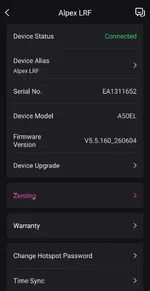
Click on device.

Check that the firmware is the latest. Always a good idea.

Take Your First Shot From a steady shooting rest, aim at the center of your target and take a shot.

Measure the Offset Observe where the bullet/pellet struck. Using a ruler on your target, measure exactly how many centimeters (or inches) your point of impact is away from your intended point of aim.

Open the live view on the app and access the Zeroing function. Enter the exact horizontal (X) and vertical (Y) deviation values.

Save the configuration within the app to sync the changes to your scope. Take a final validation shot to ensure your crosshairs and point of impact are perfectly aligned.
 
Back
Top