


csl
Administrator
You can add a date to a meeting, show etc. in the Calendar (so long as you have 30 posts/registered for 30 days). Once you have created your thread describing your meeting, go into the thread and click the ‘...’ button at the top:

Choose whether it will be one off, or recurring date (or you can remove the date)
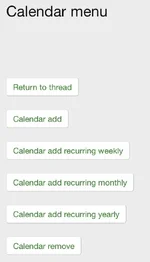
Enter the date (end date is optional) and click ‘Calendar add’.

It will now be entered on the Calendar and shown in the homepage widget:

Choose whether it will be one off, or recurring date (or you can remove the date)
Enter the date (end date is optional) and click ‘Calendar add’.
It will now be entered on the Calendar and shown in the homepage widget:


