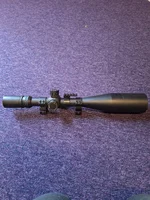
Hi All,
PLEASE bear with me on this one..........Luddite is my middle name when it comes to software.
Have had the Pard 007 for a quite a while now and never tried filming etc but I need to do some filming for my SRUC course.
Have put an SD Card 32GB in which does not freeze the screen, ok so far.
Turned on the wifi on Pard and gone to my phone and it picks up the 007 as NVT_CARDV0..........not PARD_CARD............ so don't know what is going on there if it makes a difference, put in my home network password but has an authentication problem, I installed a couple of apps ok cam, dashgo and roadcam and none work so it has to be me mucking it up.
Anyone have any ideas, and where do I put in the 007 12345678 password? Hve looked at Youtube but not a lot on there that gives a blow by blow breakdown.
Not frothing at the mouth yet, but coming close
Thanks
PLEASE bear with me on this one..........Luddite is my middle name when it comes to software.
Have had the Pard 007 for a quite a while now and never tried filming etc but I need to do some filming for my SRUC course.
Have put an SD Card 32GB in which does not freeze the screen, ok so far.
Turned on the wifi on Pard and gone to my phone and it picks up the 007 as NVT_CARDV0..........not PARD_CARD............ so don't know what is going on there if it makes a difference, put in my home network password but has an authentication problem, I installed a couple of apps ok cam, dashgo and roadcam and none work so it has to be me mucking it up.
Anyone have any ideas, and where do I put in the 007 12345678 password? Hve looked at Youtube but not a lot on there that gives a blow by blow breakdown.
Not frothing at the mouth yet, but coming close
Thanks