With my hotspots, log in once and that’s it, the phone or tablet remembers the account and can log on again anytime.
Think transmitting, not recieving ...
As for the security implications, exactly what are they?
I very much doubt that any information of strategic importance was available.
So, you are connected to a WiFi hotspot.
Open a CMD/DoS window ('terminal' on Apple ?)and type. NETSTAT
Press [ENTER]
A list will appear in the window showing you the IP address and names of all the connections that you PC/laptop has.
Type ARP -a [ENTER]
A list of devices you are connected too will appear.
Open a browser window and type in one of the IP addresses that are in both lists
Look for an IP that says "dns:https" next to it and try that.
Others that people often use are 192.168.0.1 or 192.168.0.254
Once you have the 'login' screen (of the transmitter/hotspot) you now need to find the password.
Once you are 'in', you can change the password and setup remote access.
Once you have remote access everytime that 'hotspot' or device is connected you can get in and now it's an open book.
Now you can implant keylogging software (so you can see what has been typed) + a whole host of other monitoring and mirroring services.
You can track and identify what other routers and servers the device is connected to by now and historically.
Once you know the internal LAN IP addresses of the servers etc, when trhe device is back on the LAN (ie back in St Andrews House/Holyrood etc, you can get into those devices too.
EMail address lists .....
Document edits ...
Spreadsheet locations ...
Your now search around the network looking for vunerabilities, depending on how good the IT security dept is and if they are looking for 'internal attacks' you could be on a winner .....
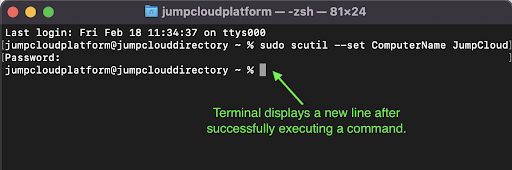
Heres a quick quide to the CLi on an Apple devoice (for those interested)
Make your Mac admin life easier. Learn 5 different ways to leverage Mac terminal commands and simplify the management of your macOS fleet.

jumpcloud.com